TiX Clock
A clock and calendar that represents the date and time using a grid of illuminated blocks.
The Time Collection explores different ways of representing and visualising time. Each application presents the same underlying temporal information in a different form, using language, numeral systems or visual patterns.
Design concept
Most clocks communicate time using hands, digits or words. TiX Clock explores a different approach, replacing conventional numbers with a grid of illuminated blocks.
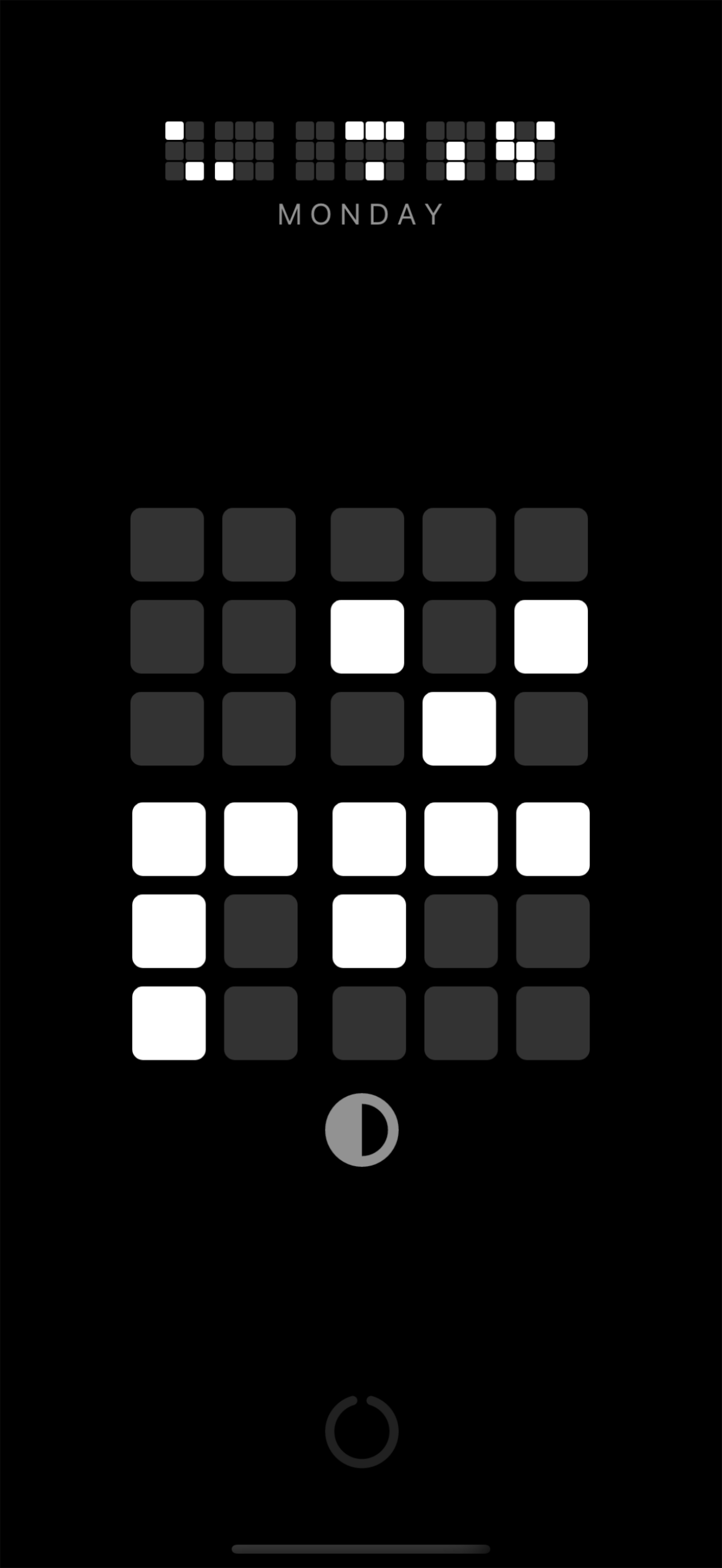
The arrangement of the blocks represents the individual digits of the current time and date. Reading the display requires only basic counting, but the familiar information appears as a changing visual pattern rather than as a conventional digital clock.
Its appearance was inspired by the illuminated computer displays seen in classic science-fiction. The intention was not simply to reproduce that visual style, but to explore whether time could remain understandable when its usual numeric representation was removed.
Reading the display
Each group of illuminated blocks represents one digit. Count the active blocks in each group and read the resulting values in sequence to reveal the time or date.
A learning mode is included to help new users understand the display and become familiar with interpreting its patterns.
Screenshot
Features
- Displays both the current time and date.
- Represents each digit using illuminated blocks.
- Includes a learning mode to explain how the display is read.
- Supports portrait and landscape orientations.
- Supports light and dark display modes.
- Supports 12-hour and 24-hour time formats.
- Supports alternative date formats.
Availability
TiX Clock is available for mobile devices through the Apple App Store and Google Play.
Release history
Version 1.3
- Added German language support
Version 1.2
- Added French language support
Version 1.0
- Clock and calendar displays using illuminated blocks.
- Learning mode for interpreting the display.
- Portrait and landscape layouts.
- Light and dark display modes.
- Configurable time and date formats.
Documentation and support
TiX Clock is designed to be learned through direct comparison between its graphical display and conventional numeric displays. A user guide is available through the app.