Binary Clock
A clock and calendar that represents the date and time using illuminated binary indicators.
The Time Collection explores different ways of representing and visualising time. Each application presents the same underlying temporal information in a different form, using language, numeral systems or visual patterns.
Design concept
Conventional digital clocks represent time using decimal numbers. Binary Clock presents the same information through a sequence of illuminated indicators, with each indicator representing a binary value.
Instead of reading familiar decimal digits directly, the viewer interprets a pattern of active and inactive indicators and converts those binary values into hours, minutes and seconds.
Binary Clock explores a form of representation that is fundamental to digital computing but normally remains hidden from view. By exposing that representation, the clock turns an everyday piece of information into something that must be decoded and understood.
Reading the display
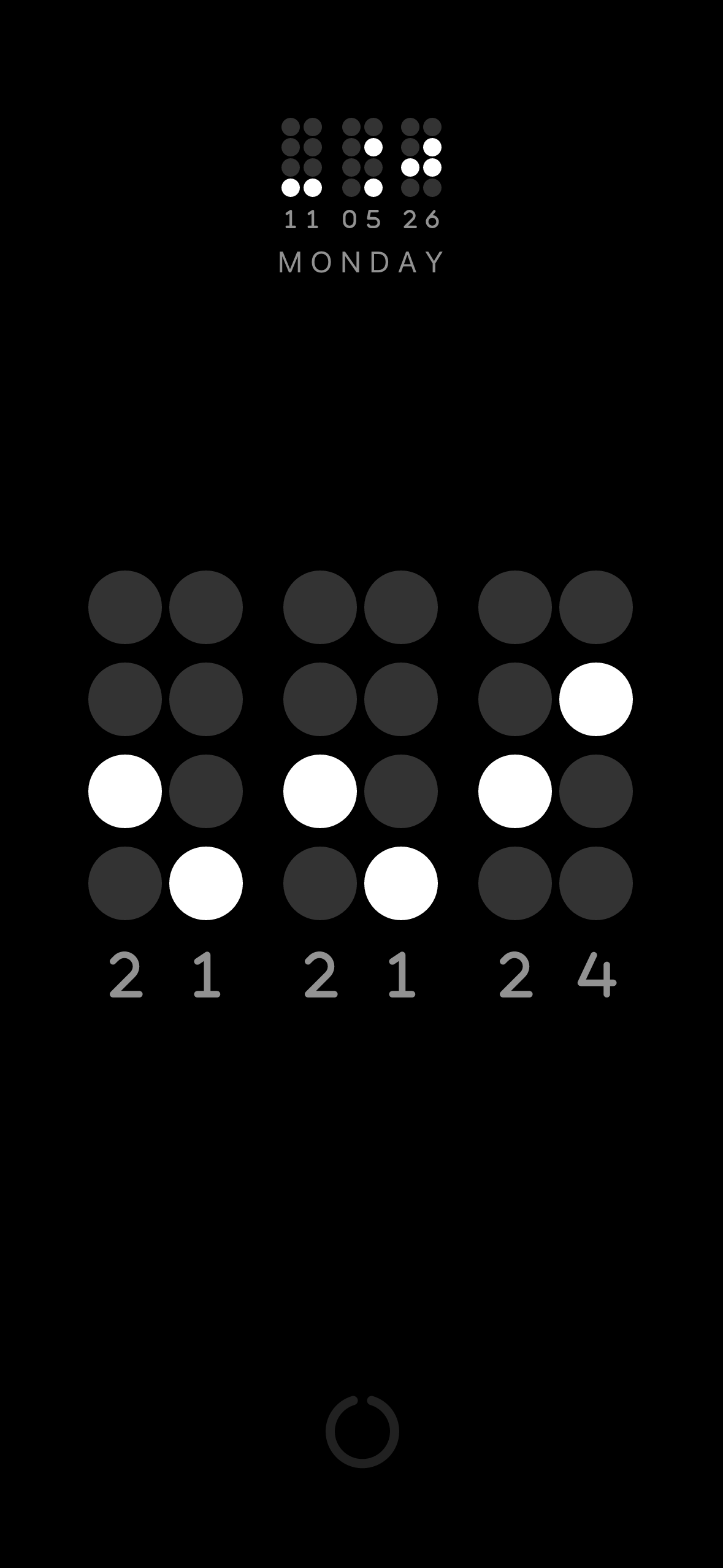
Each column of indicators represents part of the current time. The active indicators correspond to binary values for one, two, three, four, five, six, seven, eight or nine with zero being represented by no active indicators.
Adding the values of the active indicators reveals the corresponding decimal number. Reading from left to right, the results tell you the hour, minute and second.
A conventional numeric display can also be shown below the binary display, allowing the two representations to be compared while the viewer becomes familiar with reading binary time.
Screenshot
Features
- Displays the current time using binary indicators.
- Displays the date alongside the clock.
- Optionally displays the conventional numeric time.
- Supports portrait and landscape orientations.
- Supports light and dark display modes.
- Supports English, French, German and Spanish.
- Designed for use as a desk, wall or handheld clock.
- Does not collect personal data.
Availability
Binary Clock is available for iPhone and iPad through the Apple App Store and for Android devices through Google Play. It can also run on compatible Apple silicon Macs and Apple Vision devices.
Release history
Version 1.4
- Added support for German and Spanish.
Version 1.3
- Added support for French.
Version 1.2
- Updates and layout improvements.
Version 1.1
- Updates following the initial release.
Version 1.0
- Initial release of Binary Clock.
Documentation and support
Binary Clock is designed to be learned through direct comparison between its binary and conventional numeric displays. A user guide is available through the app.